Personalize your takeaways & insights with AI


Artificial Intelligence (AI) in the enterprise has moved from the pilot stage to being a core operational layer that empowers employees to make better decisions and work more efficiently.
The reason for this increased emphasis on AI is the growing number of AI copilots embedded into the existing business application stack. Microsoft Copilot for business represents a new paradigm for enterprise AI where intelligence is embedded directly into the applications employees use every day.
However, enterprise AI adoption involves much more than enabling a new feature. Success depends on a broader ecosystem of modern applications, well-governed data, and workflows designed to support AI workflow automation.
To realize meaningful returns from enterprise AI adoption, organizations must conduct a structured AI readiness assessment and develop a clear AI adoption strategy.
What is Copilot?
Copilot is commonly described as an AI assistant. More accurately, Copilot functions as an AI layer spanning an organization’s business applications and workflows.
Copilot in the enterprise is not a stand-alone tool. It is native to the Microsoft ecosystem and designed to support everyday work within Microsoft applications, including:
- Word
- Excel
- Teams
- Outlook
- Power Platform
When Copilot connects to an organization’s data and workflows, employees can use AI to:
- Draft documents, reports, and emails
- Summarize meetings and conversations
- Analyze data to generate actionable insights
- Access information from organizational knowledge systems
- Automate routine administrative tasks
Because of its ability to operate across applications, Microsoft Copilot is one of the most accessible entry points for enterprise AI adoption.
Common Misconceptions About Copilot
Copilot is not an alternative to enterprise systems and does not operate independently of an organization’s data architecture.
Therefore, Copilot is only as effective as the environment in which it operates.
Challenges to Scaling Enterprise-Wide AI Adoption
Although AI capabilities continue to evolve rapidly, many organizations struggle to scale enterprise AI adoption.
These challenges are rarely caused by the AI itself. More often, they arise from the enterprise environment where AI must operate.
Common barriers include:
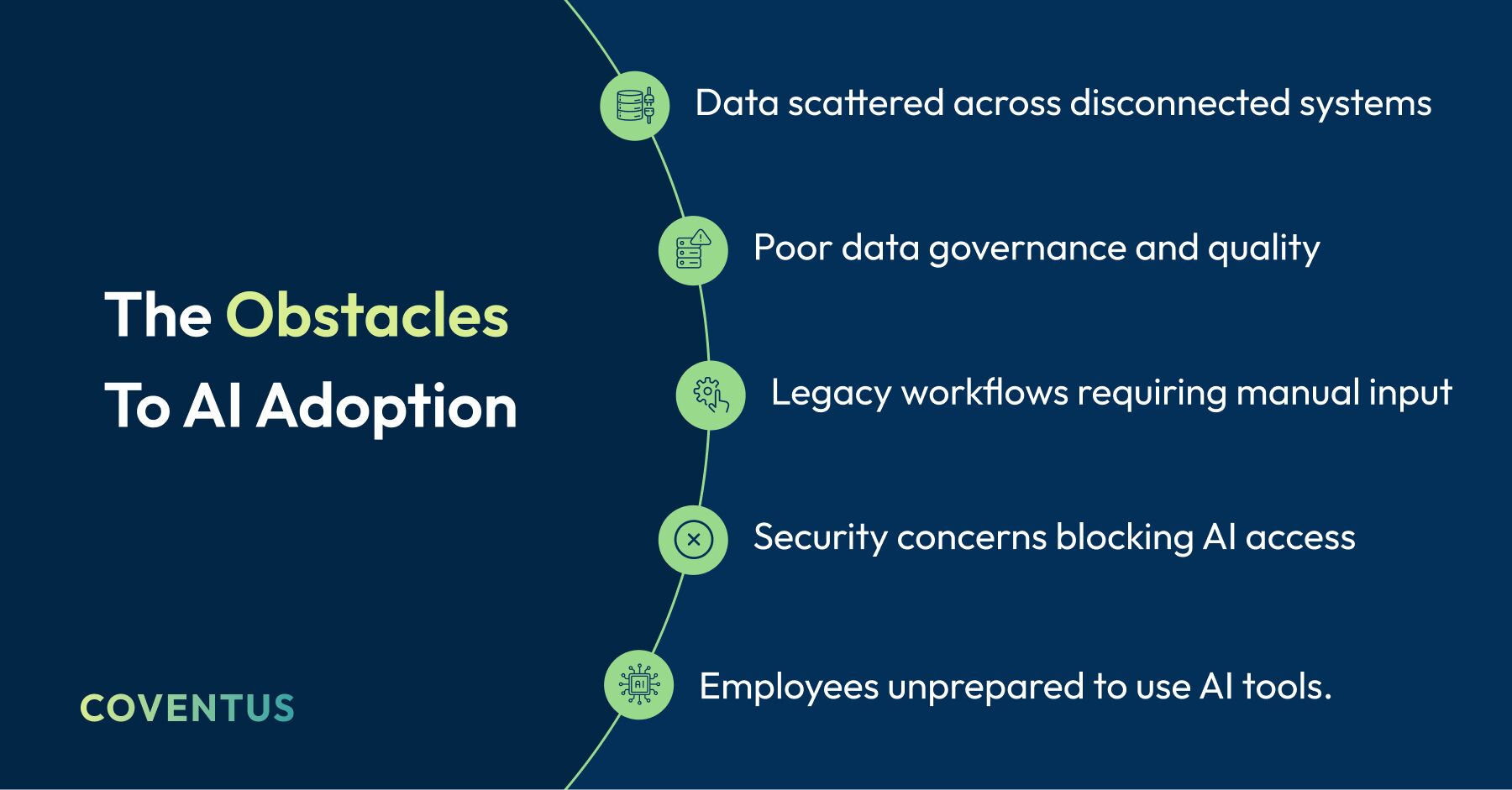
These barriers can create an environment where AI tools cannot access complete, accurate, or well-structured information.
A common observation in enterprise AI initiatives is:
AI is rarely the difficult part. Preparing data and systems to support AI requires the most effort.
For this reason, many organizations begin with an AI readiness assessment as part of their broader AI adoption strategy.
AI Adoption Trends 2026
Several trends in AI adoption for 2026 are already emerging:
- Increased demand for unified enterprise data platforms
- Greater reliance on AI workflow automation to reduce manual processes
- More organizations embedding AI directly into everyday productivity tools
- Expanded use of AI copilots to orchestrate workflows across systems
Organizations that address foundational readiness challenges typically achieve stronger business outcomes with Copilot and similar technologies.
Preparing Your Data Environment for Copilot
Before AI can deliver actionable insights, organizations must modernize how they organize, govern, and consume data.
Microsoft Copilot implementation depends heavily on data readiness.
Modernizing Enterprise Data
Enterprise data modernization requires more than migrating data to the cloud. It involves building a data architecture that allows AI systems to understand context, relationships, and permissions.
Typical priorities include:
- Unifying structured and unstructured data sources
- Establishing governance frameworks
- Enabling real-time access to operational data
- Improving metadata and semantic tagging
- Creating consistency across the organization's information architecture
These capabilities ensure AI systems access relevant and contextualized information rather than disconnected data points.
Why Data Workflow Automation Matters
Data workflow automation enables Copilot to generate meaningful insights.
Organizations benefit from:
- Reduced manual movement of data between systems
- Improved data freshness for real-time decision making
- Consistent access to governed data sources
When data pipelines are automated and integrated, Copilot can operate with greater accuracy and reliability.
Microsoft Graph and Fabric
Two technologies within the Microsoft ecosystem help enable this capability.
Microsoft Graph connects user activity, documents, conversations, and business data across Microsoft services. This allows Copilot to understand relationships between emails, meetings, and documents.
Microsoft Fabric provides a unified platform combining analytics, data engineering, and governance capabilities. Fabric enables organizations to establish an AI-ready data architecture by centralizing enterprise data.
Together, these platforms ensure Copilot can access the right information at the right time.
Security and Governance Considerations for Enterprise AI
Enterprise AI must operate within strict security frameworks.
Important considerations include:
- Role-based access controls aligned with permissions
- Data Loss Prevention policies protecting sensitive information
- Complete audit trails for governance and compliance
- Zero-trust security models verifying each request
These measures allow organizations to benefit from AI while maintaining enterprise-grade security standards.
Embedding Copilot Into Enterprise Applications
The first visible impact of Copilot often appears within everyday productivity tools.
This convergence of data and actions inside applications is what makes Copilot a catalyst for AI for enterprise apps and automated workflows.

Outlook
- Simplify long email chains
- Draft responses based on previous conversations
- Prioritize messages
Teams
- Meeting summaries
- Extracted action items and decisions
- Contextual conversation insights
SharePoint
- Retrieve knowledge and documents
- Generate content from existing resources
Excel
- Dataset analysis
- Identification of trends and anomalies
- Forecasting model creation
These capabilities enable employees to work more productively without switching between systems.
Copilot for Business Processes
Beyond productivity tools, Copilot also supports structured business workflows.
Typical enterprise use cases include:
- HR onboarding workflows that automate documentation and scheduling
- Finance reporting processes analyzing financial data
- Sales proposal creation using historical deal information and CRM data
- Project management insights across planning tools and collaboration platforms
- Customer service knowledge retrieval to accelerate case resolution
For example, a project manager could request the current state of a project. Instead of manually reviewing documents, meeting notes, and spreadsheets, Copilot can compile relevant information across the organization
AI Workflow Automation in the Enterprise
One of the most powerful capabilities of Copilot is enabling AI workflow automation across enterprise systems.
Examples include:
- Automated approval workflows across departments
- Automatically generated operational reports
- Cross-system workflow orchestration between CRM, ERP, and collaboration platforms
These examples illustrate how AI evolves from productivity assistance into embedded operational intelligence.
Customizing AI for Business Use Cases with Copilot Studio
While Copilot delivers immediate value through built-in capabilities, many organizations extend its functionality through Copilot Studio.
Copilot Studio enables Microsoft Copilot implementation tailored to internal workflows and proprietary data sources.
Common use cases include:
- Connecting Copilot to internal APIs and enterprise systems
- Building departmental AI assistants
- Automating workflows across applications
- Integrating AI into operational platforms such as IT service management systems
For example, organizations can integrate Copilot with Power Automate to support data workflow automation across systems.
This enables custom AI for enterprise workflows aligned with operational requirements.
Change Management: Promoting Enterprise AI Adoption
Successful implementation of Copilot requires more than deploying the software.
Organizations that introduce AI without preparing employees often experience limited adoption and minimal results.
A structured enterprise AI adoption strategy ensures Copilot is not only deployed but embraced.
Successful adoption programs typically include:
- Development of AI champions within departments
- Responsible AI policies and governance guidelines
- Training programs covering realistic use cases
- Encouragement of experimentation in low-risk environments
- Continuous measurement of adoption and business impact
Business Results of Enterprise AI Adoption
Organizations implementing AI strategically often experience improvements across multiple operational areas.
Companies deploying Copilot frequently report:
- Reduced time spent searching for information
- Faster decision making through data insights
- Increased productivity in knowledge work
- Streamlined workflows through automation
- Reduced complexity in system integrations
Many organizations report productivity improvements in the 20–40% range, particularly in knowledge work and information retrieval.
These outcomes demonstrate how Copilot for business outcomes supports broader operational efficiency.
A Practical AI Adoption Strategy Roadmap
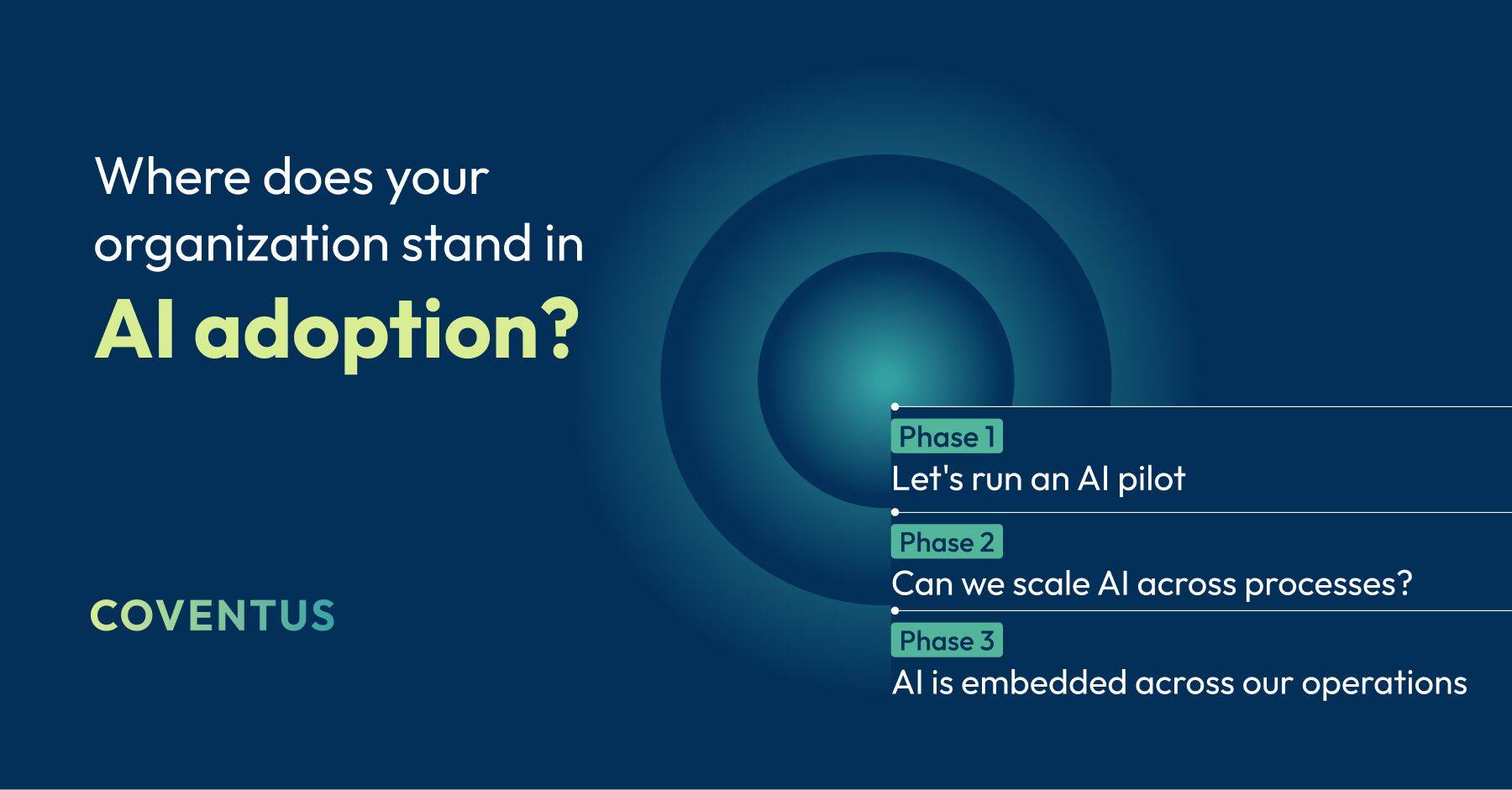
Organizations evaluating enterprise AI adoption often benefit from a phased implementation model.
A typical Microsoft Copilot implementation roadmap includes:
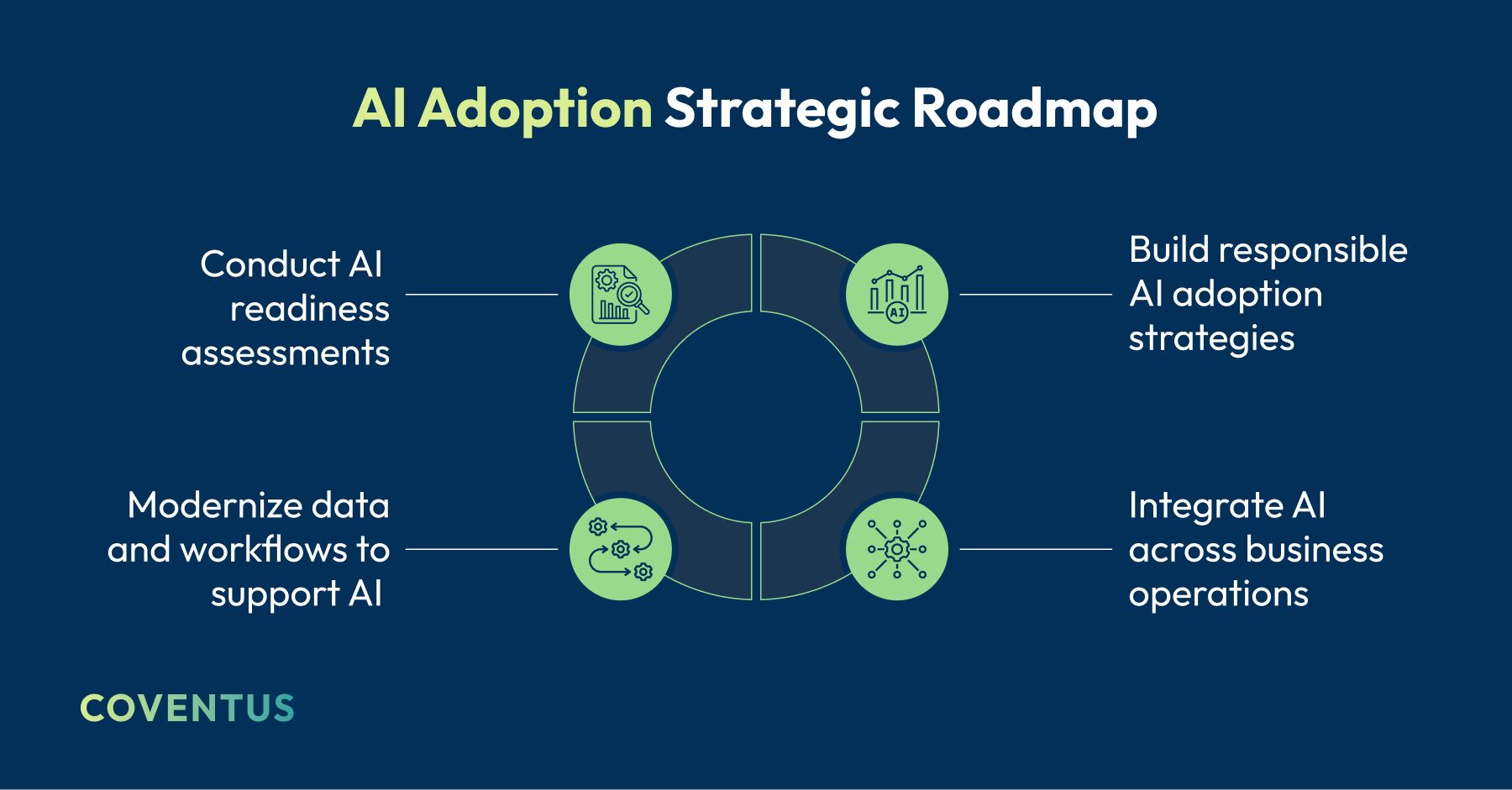
This approach enables organizations to build momentum while minimizing risk.
Enterprise AI Will Become More Interconnected
The next phase of enterprise AI will not be defined by individual tools, but by how effectively organizations integrate applications, data, and workflows.
Copilot in the enterprise represents an important step toward this vision by embedding intelligence directly into everyday work tools.
However, realizing its full value requires modern data architectures, integrated systems, and well-defined AI governance.
Organizations that begin modernizing today will align with AI adoption trends through 2026 and beyond.
Conclusion
If your organization is evaluating Microsoft Copilot or building out an enterprise AI roadmap, an AI readiness assessment is the most practical starting point. It surfaces the gaps in your data architecture, security posture, and application environment that will determine whether AI delivers real value or stalls in a pilot.
At Coventus, we help enterprises evaluate their environments and develop enterprise AI adoption strategies aligned with organizational goals. Talk to our experts to assess where your organization stands today.
Share this article