Personalize your takeaways & insights with AI





Document Management Challenges Before AI
Many organizations have to deal with the challenge of massive amounts of unstructured content (contracts, vendor invoices, HR paperwork, company reports, etc.). There are too many documents, too much to analyze, and too little time.
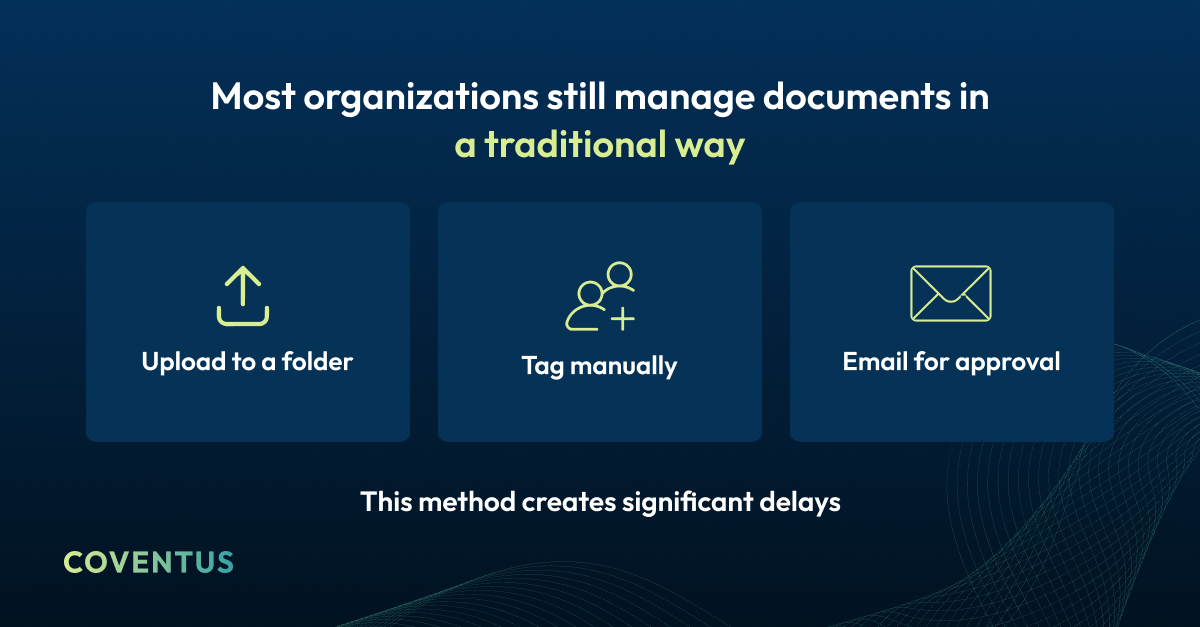
Typically, organizations use manual document management processes to organize their documents, including uploading files to a repository, entering metadata manually, emailing documents for approval, and archiving documents.
While manual processes do provide some level of document organization, there are challenges associated with resource utilization and inconsistencies in how the same document may be categorized differently by various users.
For example, two different employees could categorize the same document in completely different ways; approval loops can be lengthy; searching for specific content can be time-consuming.
Document Management and Workflows – What is the Real Problem?
Most organizations’ primary issue is not that they don’t know how to store documents, but rather how to develop intelligent document workflows.
Without AI, teams spent hours opening, reviewing, and manually routing documents for approval.
The Impact of AI on Document Management
Artificial Intelligence has shifted document management from passive storage to active, automated workflows.
When employees had to manually open and review documents before sending them to other employees or departments for approval, today’s AI platforms can read, understand, and act on the contents of documents when those documents are uploaded to a repository.
AI can read and interpret documents, identify and automatically apply metadata, trigger workflows based on the contents of the documents, and generate insights across all repositories of enterprise-wide documents.
Documents are no longer merely static files; they now play an active role in helping to drive business processes.
SharePoint – The Central Enterprise Content Repository
For many organizations, SharePoint serves as the central repository for collaboration and document storage within Microsoft 365.
Over the past few years, Microsoft has introduced artificial intelligence capabilities into SharePoint, transforming it from a simple document repository to a much more powerful platform.
At a glance
SharePoint now supports AI-enabled document capabilities such as:
- Syntex identifies document types and extracts data.
- Copilot enables conversational search and summary.
- Purview manages compliance and sensitivity labels.
- Power Automate creates cross-system workflow automation.
Together, these tools enable organizations to leverage SharePoint as a Content Intelligence Platform (not just a repository for content).
Traditional vs. AI-Enabled Workflows
Traditional Document Management
- Manually adding documents to a repository.
- Manually entering metadata.
- Email-based approval chains.
- Poor visibility between departments.
AI-Enabled Workflows
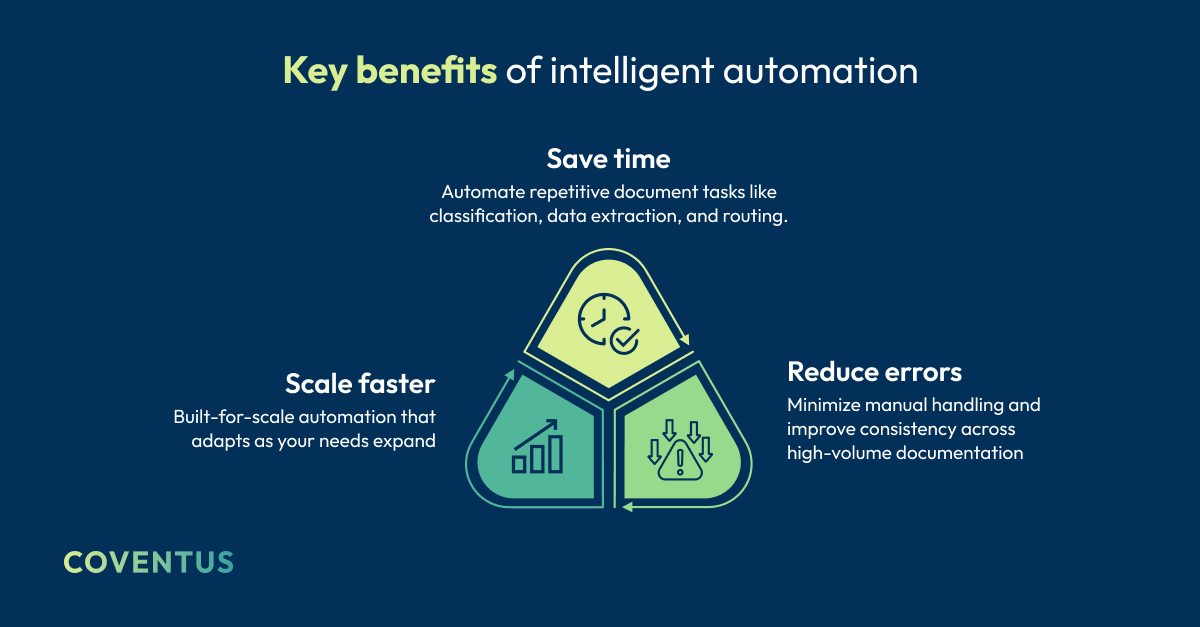
When documents are added to a repository, AI can automatically recognize and categorize them. Once the documents are recognized, AI can extract important information from the documents and automatically initiate workflows and generate insights across all content libraries.
This allows organizations to efficiently manage large numbers of documents without significantly increasing administrative burden.
Automatic Document Intake and Classification
One of the most practical uses of AI in document workflows is automatic document classification.
Consider the situation of a procurement manager receiving hundreds of vendor invoices weekly. Traditionally, each invoice would be opened, reviewed, labeled, and forwarded to the proper department.
AI eliminates virtually all of this manual work.
Using intelligent document processing models, AI systems can immediately identify the document type and extract the key elements of the document (Vendor Name, Invoice Number, Payment Terms, etc.)
The same can be said about HR departments processing onboarding documents, legal teams reviewing contracts, and customer service teams processing service forms.
Intelligent Document Processing
AI-based Optical Character Recognition (OCR) and document extraction models enable organizations to transform a variety of document formats into usable information.
Examples include vendor invoices, HR onboarding paperwork, contracts and legal agreements, customer documentation, purchase orders and financial records.
Rather than having employees open and process every document, AI reads the document and transforms the information into structured data.
Automated Metadata Assignment
Metadata is essential for the organization and retrieval of documents, and for efficient search.
However, metadata is typically manually assigned and manual tagging leads to inconsistencies. Two employees may categorize the same document differently, making it hard to find later
AI resolves this by automatically identifying the characteristics of a document, including customer or vendor names, contract dates and obligations, document types, project identifiers, and transaction amounts.
By automatically assigning tags to documents when they are ingested, organizations ensure documents remain easily accessible and compliant with organizational governance policies.
AI-Driven Document Routing
Once a document has been identified and assigned metadata, the next logical step is determining where it should go.
Rather than requiring employees to manually forward documents, AI can automatically direct documents to the intended location based on pre-defined business rules.
Examples of this include vendor invoices being routed to finance for approval, contracts being routed to legal for review, employee onboarding paperwork triggering provisioning workflows, and compliance documentation being routed to audit teams.
AI can also identify anomalies. For example, if a contract includes unusual clauses or risk indicators, AI can initiate additional reviews, whereas standard agreements follow the standard approval process.
When combined with Power Automate, workflows can span multiple departments and systems, improving coordination of complex processes with less employee involvement.
Structured Data From Unstructured Documents
Many organizations store documents as scanned images or PDFs. Although these files contain valuable information, the data locked in these formats is difficult to extract or analyze at scale.
AI-based OCR pulls structured data from those documents and links it to the relevant metadata.
Examples include converting scanned invoices to line-item financial data, creating structured customer records from forms, automatically identifying contract dates and obligations, and converting service requests to operational analytics data.
Revealing Hidden Insights
Transforming unstructured data to structured data enables organizations to uncover insights that were previously hidden in document repositories.
AI-based extraction enables organizations to implement initiatives such as:
- E-discovery
- Financial automation
- Customer service analytics
- Operational reporting
Organizations implementing intelligent document automation often discover operational insights that were previously buried deep inside document libraries.
AI-Driven Compliance and Governance
Compliance and Governance are becoming increasingly complex, particularly in heavily regulated industries.
Analyzing thousands or tens of thousands of documents manually is nearly impossible.
AI acts as a compliance layer that enforces policies automatically, without relying on manual touchpoints.
Within Microsoft 365 environments, organizations can establish governance policies, including configuring sensitivity labels for confidential documents, configuring automated retention policies, configuring lifecycle rules to archive or delete documents, and detecting potential regulatory violations.
Intelligent Search and Knowledge Discovery
As content libraries grow, keyword search becomes less effective at surfacing what people actually need.
Employees often spend hours searching for documents or reviewing substantial files to retrieve the information they are seeking.
AI provides an alternative means of discovering knowledge.
Users can interact with enterprise content using natural language queries like:
- "What are the renewal dates for our vendor contracts?"
- "Summarize the key obligations in this Agreement."
- "Which documents reference this Client Account?"
Tools like Copilot provide users with conversational access to enterprise content libraries and greatly reduce the time needed to locate information.
Real-World Applications
Intelligent document workflows can be utilized in nearly every area of business operations.
Finance
AI can classify vendor invoices, extract payment terms, and automatically route approvals.
HR
AI can automate the processing of employee onboarding paperwork, securely store the paperwork, and link to HR systems.
Legal
AI can assist in streamlining the contract life cycle by assessing clauses and issuing reminders for renewals.
Customer Service
AI can route customer documentation and convert it to structured case records, allowing for faster response times.
AI workflows eliminate operational friction, foster consistency, and improve visibility across departments.
Roadmap for Implementing AI
Most businesses start by targeting one or two high-volume document workflows where the payoff is clearest.
Common Implementation Process
- Identify high-volume document workflows (e.g., Contracts or Invoices)
- Optimize SharePoint Architecture and Document Libraries
- Implement AI Models for Document Identification and Extraction
- Use Power Automate to Automate Workflows
- Establish Governance and Develop User Training.
This incremental approach enables organizations to modernize document workflows without disrupting operations.
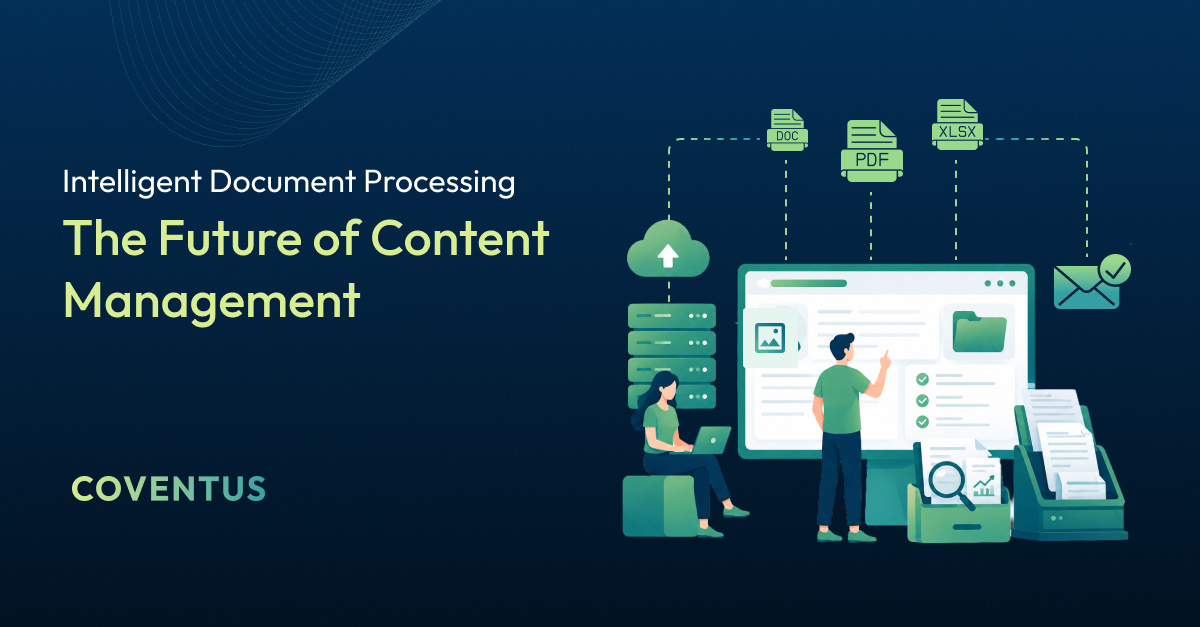
The Future of Content Management
Content management is moving from simple storage toward process-driven intelligence, where documents don’t just live somewhere, they do something.
In addition to developing capabilities around Microsoft 365’s artificial intelligence (AI), organizations will rely on AI-enabled document workflows to support decision-making and automation as they mature.
Instead of using their time organizing paperwork, teams will use their time to analyze data and execute business processes.
Key Takeaway
Intelligent document workflows turn static files into working tools that support real decisions.
This transition represents the true transformation that has been promised through the application of intelligent document automation.
If your team is ready to move beyond manual document handling, Coventus can help you design and implement intelligent workflows built on Microsoft 365 and SharePoint. Talk to our experts and start your digital transformation journey today!
Share this article