Personalize your takeaways & insights with AI


- Author: Bala
- Contributor: Poovarasi
The governance, licensing, publishing, access, and adoption lessons my team and I learned while turning a Developer Assistant prototype into an organizational capability
Building the Agent Was the Easy Part
When my team and I started building a Developer Assistant in Copilot Studio, we assumed the hardest work would be designing the experience, grounding responses in useful engineering knowledge, and deciding which actions the agent should perform. Those decisions mattered, but they were not where the enterprise complexity showed up.
The real questions arrived after the prototype worked. Who should own the agent? Which users should be allowed to discover and use it? Which repositories were appropriate sources? What did our IT and security teams need to configure? How would we publish it without opening access too broadly? Which licenses or consumption model would apply? And how would we know whether the agent was creating value rather than simply creating another tool to support?
That experience changed how I think about enterprise agents. A prototype demonstrates possibility. An enterprise rollout demonstrates operating discipline.
The Teams We Needed Around the Table
Prototype in 30 Minutes — Enterprise Ready?
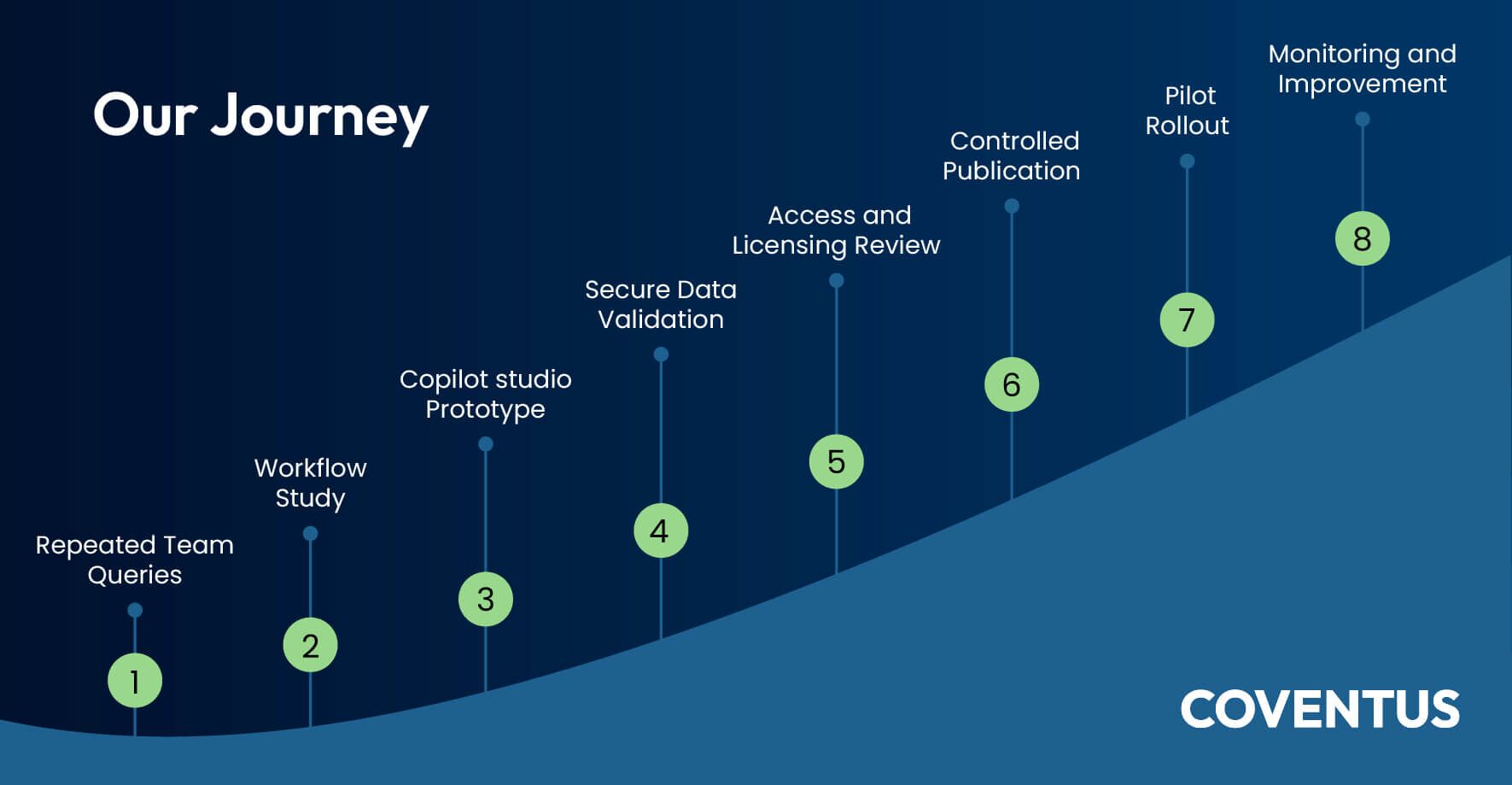
The actual prototype came together surprisingly quickly. Using Copilot Studio, a set of publicly available tutorials and articles, and the standard patterns we could learn from the Microsoft ecosystem, we were able to create a working version in about 30 minutes. For the prototype, we connected Jira to bring in work item context, used SharePoint files as knowledge sources, and explored connectors for Outlook and Teams so the agent could start reflecting the way our teams already worked.
That speed was both encouraging and revealing. It showed us that almost anyone with the right permissions and a clear use case can assemble a convincing agent prototype very quickly. But the prototype was only the beginning. Turning it into something enterprise ready safe to publish, governed properly, aligned with data access rules, supportable by IT, and usable by the whole organization took nearly several weeks of review, configuration, validation, and coordination.
Guardrails from IT Team
Once the prototype had business interest, I asked our IT team to help convert it from a maker owned experiment into a controlled service. The requests were not glamorous, but they were the difference between a promising demo and a supportable rollout.
- Create clearly named pilot and production user groups, with an accountable owner and a defined membership process.
- Separate development, test, and production responsibilities so that experimentation did not automatically become enterprise exposure.
- Confirm who could build, publish, share, administer, and support the agent.
- Review the proposed knowledge sources, inherited permissions, sensitivity labels, and whether each source was genuinely appropriate for responses.
- Review connectors and actions through the organization’s DLP and risk controls.
- Define a controlled publishing path, release checks, support contact, incident route, and rollback or withdrawal plan.
- Enable enough telemetry to understand usage, fallback behavior, action failures, consumption, and user feedback.
- Define how access would be recertified and how the agent would eventually be retired if it no longer delivered value.
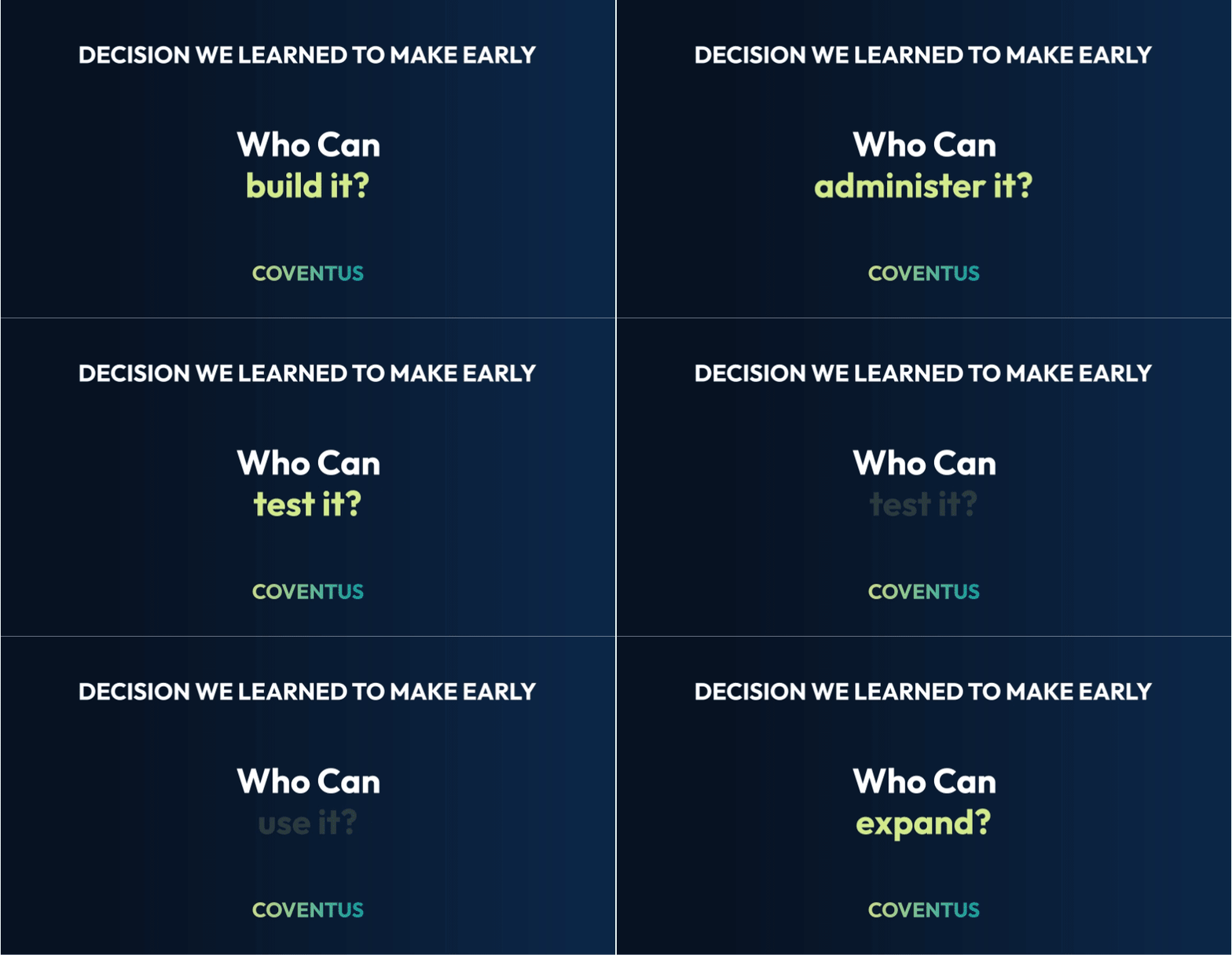
User Groups Mattered More Than We Expected
One of our most practical lessons was that access design should not be an afterthought. We needed to distinguish the people building the agent, the administrators operating it, the pilot users validating it, and the broader audience that might receive it later. A single broad sharing decision would have made ownership, testing, communication, and access review harder.
We therefore treated user groups as part of product design. They gave us a controlled way to test with a bounded audience, expand deliberately, communicate changes, and remove access when a role or pilot ended.
Publishing Was Not Just Selecting “Publish”
The product experience can make publication look like a final technical step. In our case, publication was an organizational readiness checkpoint. Before expanding access, we needed confidence in the audience, knowledge boundaries, connector permissions, support route, communication, and the person accountable for stopping or updating the agent when something changed.
We also learned to separate three events that are often conflated: publishing a version, making the agent discoverable in a channel, and authorizing a group of users to use it. Treating these as separate decisions created better control over rollout.
The Licensing Conversation Was More Nuanced Than “Buy Copilot for Everyone”
Licensing became one of the most important business conversations in our rollout. The first assumption was that every potential user might need the same premium Copilot entitlement. Our implementation forced us to distinguish the license needed to build and manage the solution from the entitlement or consumption model needed for people to use a published agent in the selected channel.
That distinction matters because a targeted organizational agent and a broad personal productivity Copilot are different investment decisions. For a focused use case, it may be possible to serve an approved audience through an agent consumption or capacity model rather than licensing every employee for the full Copilot experience. The correct answer, however, depends on the agent type, capabilities, channel, tenant configuration, connectors, and Microsoft’s then current commercial terms.
IMPORTANT PUBLISHING NOTE: Validate current Microsoft licensing and Copilot Credit rules before publication. Do not present our R&D estimate as a universal price or entitlement rule.
Our experience was valid: publishing a Copilot Studio agent is affected not only by who built it, but also by whether the maker has the right Copilot Studio or Microsoft 365 Copilot entitlement, whether the environment has prepaid or pay-as-you-go capacity available, and whether the intended users can access the published channel. Microsoft’s guidance distinguishes between licenses required for users who create and manage agents, tenant or capacity licensing used to run agents, and the fact that end users may not always need a special Copilot Studio license once an agent is published. In practice, this creates challenges for both the agent developer and IT administrator: the developer must build and publish from an appropriately licensed account and environment, while IT must confirm tenant licensing, Copilot Credit allocation, group-based access, channel availability, DLP policies, and user entitlements before rolling the agent out to all team members or to a selected pilot group.
This comparison was useful for planning, but it should be treated as an indicative view rather than a universal cost rule. Real cost can vary based on licensing terms, Copilot Credits, token usage, grounding calls, connector transactions, workflow executions, API activity, telemetry retention, and the actual volume of adoption.
Governance Started Before We Connected the First Repository
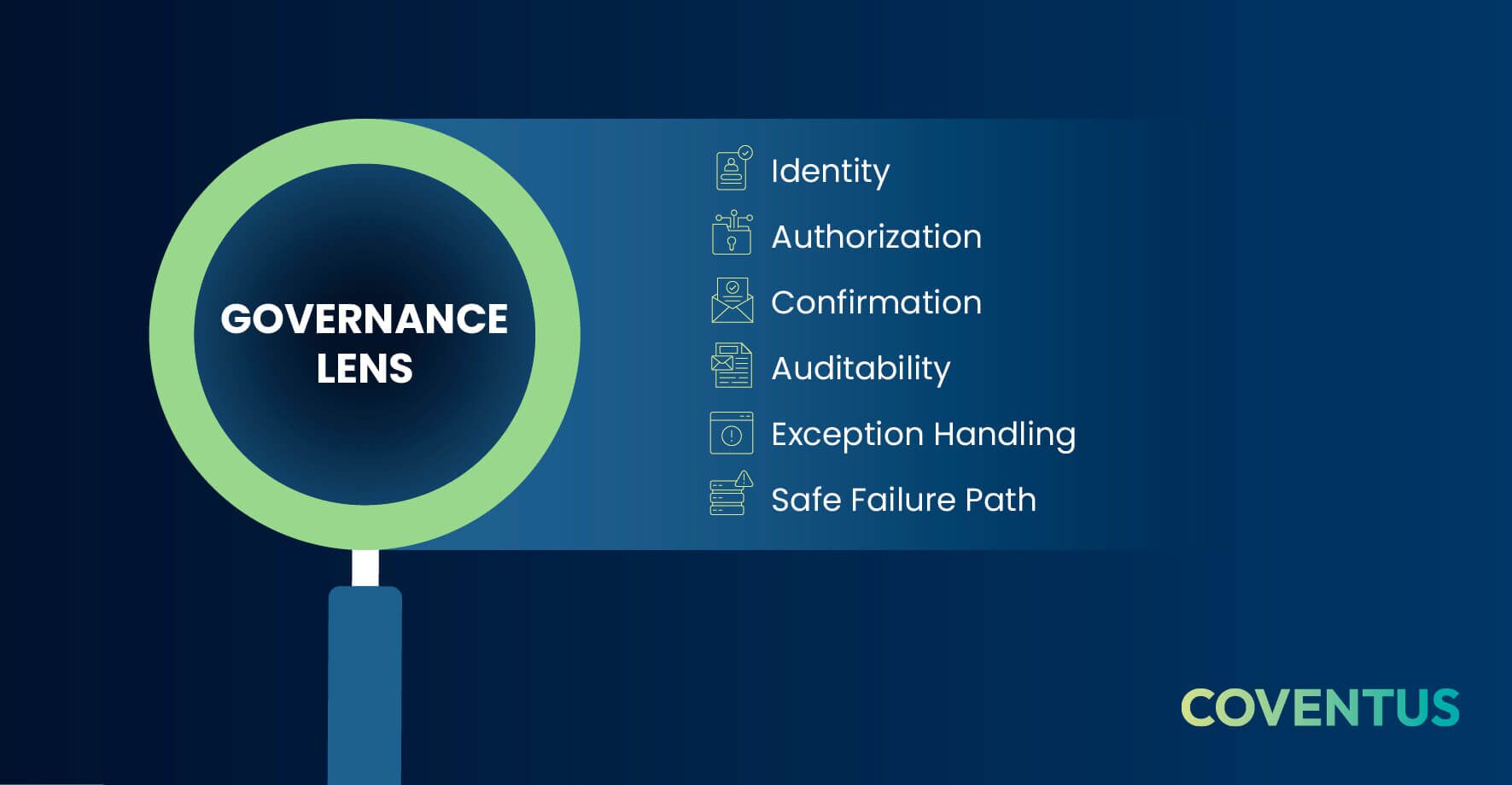
Our most important governance lesson was simple: an enterprise agent should not know everything merely because it can connect to many sources. Every source became a business decision, not just a connector selection.
I asked the team to verify ownership, permission hygiene, sensitivity, freshness, citation readiness, retention expectations, and whether content was appropriate for the intended audience. Our recurring question was: even if the agent can access this information, should it use it in a response?
The same principle applied to actions. Answering a question and changing a system record create different levels of risk. We gave grounded, read only assistance a lower risk path; reversible operational actions required user confirmation; and sensitive or policy relevant changes required an accountable human approval route.
A good example from our own evaluation was the decision about how to connect the agent to third party systems such as Jira and Xero. At first, it appeared to be a simple connector choice, but there were several possible paths: use a product specific agent provided by the software vendor, rely on a Microsoft 365 Copilot connector where the objective is search and grounding, connect through an MCP server for live tool access and actions, use a third party managed connector, or build our own MCP server when we needed more control over authentication, scope, orchestration, and auditability. The right choice depended on the use case. If the requirement was mainly to retrieve and summarize Jira issues, a managed connector could be sufficient; if the agent needed to perform real time actions or work across Jira, Xero, SharePoint, Teams, and other systems in one workflow, an MCP based architecture or carefully designed custom connector became more attractive. This taught us that source integration is not merely a technical plumbing decision. It is an architecture decision that affects security, licensing, user consent, DLP review, support ownership, extensibility, and long term maintainability.
The Controls We Put Around the Agent
- Approved knowledge sources rather than unrestricted organizational reach.
- Least privilege access aligned to existing SharePoint, OneDrive, and connected system permissions.
- Sensitivity classification, DLP boundaries, connector review, audit visibility, and periodic access recertification.
- User confirmation for operational changes and human approval for sensitive actions.
- Named owners for business outcomes, technical operation, security decisions, and support.
- Pilot limits, consumption monitoring, cost alerts, and an explicit decision before wider rollout.
- Release notes, incident response, review cadence, and retirement triggers.
We Needed an Operating Model, Not Just an Agent
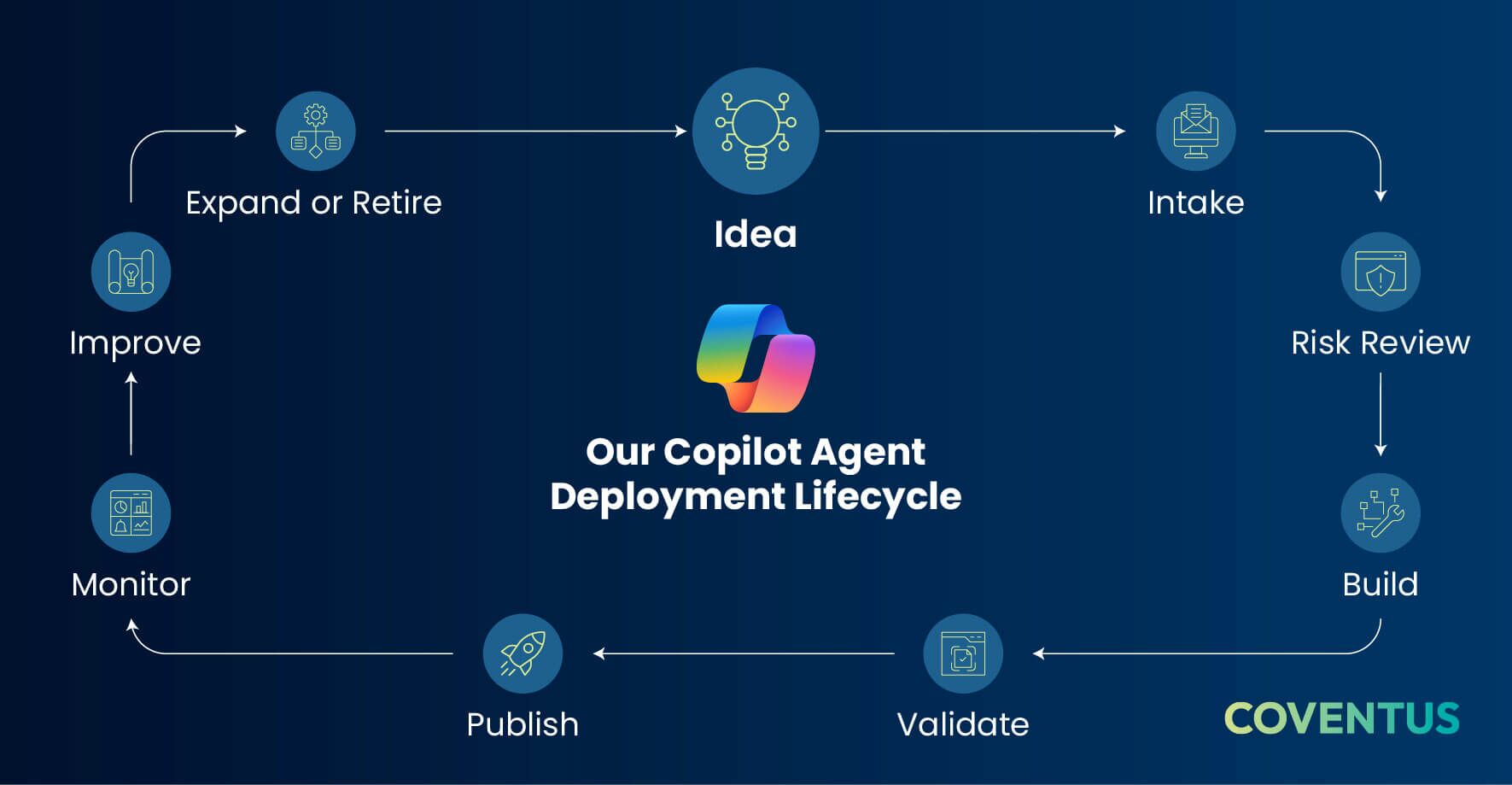
By the time we reached the pilot, we had stopped treating the work as a one time AI project. The agent needed an intake path, owners, environments, release gates, monitoring, support, cost thresholds, improvement cadence, and a retirement decision. In other words, it needed to be managed as a digital product.
My expectation of IT was to own the control plane: identity, environment strategy, DLP and connector policy, publication controls, telemetry, incident response, cost controls, and lifecycle governance. The business and AI teams remained accountable for the problem definition, approved knowledge, experience quality, measurable outcomes, and adoption feedback.
Monitoring Changed the Conversation from Opinions to Evidence
After rollout, we needed more than a usage count. We reviewed whether people could discover the agent, whether answers were grounded and useful, where conversations fell back, whether actions completed reliably, whether security or policy signals appeared, and how consumption changed as usage grew.
This allowed the team to improve repeated failure points rather than debate the agent in the abstract. It also helped us connect product adoption, answer quality, action reliability, risk, and cost in one operational conversation.
Our compact observability framework focused on four signals: adoption, quality, reliability, and control. Adoption showed whether the right users were discovering and returning to the agent. Quality showed whether answers were grounded, current, cited, and useful. Reliability showed whether actions, connectors, fallback handling, and escalations worked as expected. Control showed whether consumption, DLP signals, policy exceptions, access patterns, and support incidents stayed within acceptable limits. Reviewing these together helped us treat monitoring as a weekly improvement discipline, not a dashboard exercise.
Testing Taught Us What Governance Really Looks Like
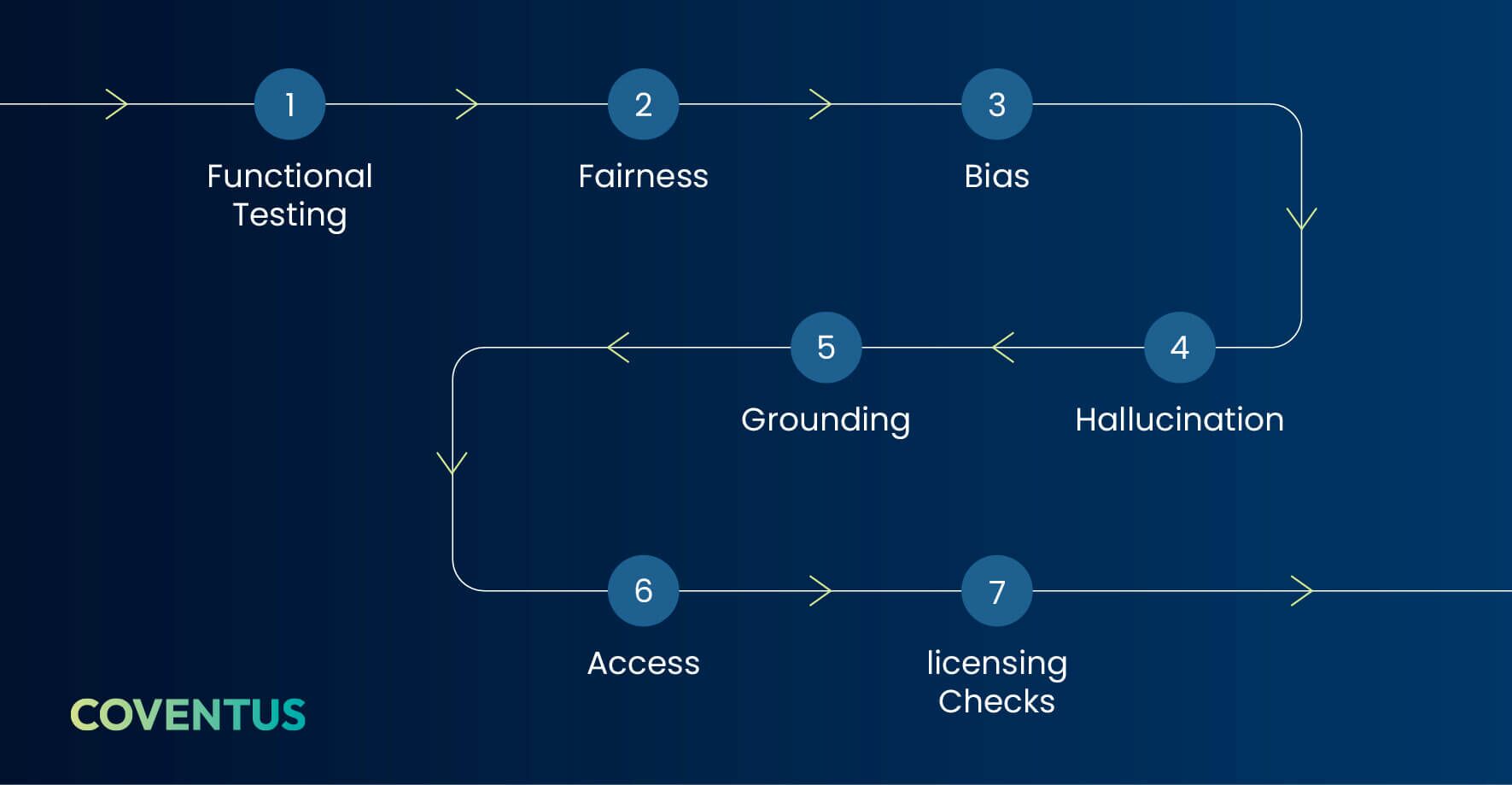
After developing the agent, we spent a significant amount of time testing it beyond basic functionality. We wanted to know not only whether the agent could answer questions and complete intended tasks, but also whether it behaved responsibly across fairness, bias, hallucination, and grounding scenarios against our corporate data. That testing forced us to think about quality assurance differently: validating an enterprise agent is not the same as testing a conventional application screen or workflow.
The QA process had its own operational challenges. Testers needed the right licenses, membership in the right user groups, access to the correct pilot environment, and enough context to design meaningful prompts. Creating test cases for fairness and bias was especially interesting because many of those questions were not specific to this one Developer Assistant. We realized they could become a reusable evaluation library for future agents, giving us a head start on responsible AI validation instead of recreating the same testing effort every time.
The Outcome: A Governed Enterprise Agent
After all the reviews, configuration, license checks, publishing decisions, connector debates, and governance discussions, we achieved what we set out to do: create an enterprise agent that our engineering team can use to plan activities with the right guardrails in place. It is no longer just a promising prototype; it is a controlled organizational capability designed to be secure, scalable, governed, and supportable. The journey reminded us that the technical build is only one part of enterprise AI adoption. The bigger challenge is making sure the agent works within the realities of identity, access, licensing, data boundaries, publishing controls, source governance, monitoring, and operational ownership. In that sense, the “hurrah” is not just that we built an agent. It is that we learned how to make one ready for the enterprise.
What We Would Do Differently Next Time
- Involve identity, Microsoft 365 administration, security, and service ownership before the prototype is presented as ready.
- Decide access groups, publishing channel, and support ownership during design, not after testing.
- Validate licensing and consumption assumptions against the exact deployment scenario before building the business case.
- Start with fewer, better governed sources and expand only when evidence supports it.
- Separate knowledge retrieval from transactional actions in the risk review.
- Define pilot success, cost thresholds, and stop conditions before inviting users.
- Treat communication, onboarding, and feedback as part of the product, not as post launch activities.
Why Experience Matters
Copilot Studio can make a prototype accessible. That is a strength. But accessibility can also create the impression that enterprise deployment is only a configuration exercise. Our experience was different: the agent became valuable when engineering, governance, identity, licensing, publication, support, and adoption were handled as one connected problem.
This is where an experienced partner adds value. The partner is not only there to configure an agent. The partner should help the organization anticipate cross team dependencies, make licensing and rollout assumptions explicit, establish proportionate controls, and create a repeatable path from a focused use case to a governed enterprise capability.
The Takeaway
We did not simply build an agent. We learned how to operationalize one inside an organization.
Conclusion
Looking back, the pivotal question was not, “Can we build this?” It was, “Can we make it safe, supportable, affordable, discoverable, and useful for the right people?”
The organizations that get enterprise agents right will not necessarily be those that create the most agents. They will be the ones that connect business ownership, IT controls, security, licensing, publication, adoption, and evidence of value from the beginning.
For leaders considering a Copilot agent, my advice is to enjoy the speed of the prototype, but plan early for the organizational work that follows. That is where enterprise readiness is tested, and where experienced guidance can prevent an exciting demonstration from becoming an unmanaged production risk.
| Team | What we needed from them |
|---|---|
| AI R&D Team | Agent scope, experience, grounding, actions, testing, and iteration. |
| Business Owners/ Sponsors | Outcome definition, process fit, approved knowledge, and adoption feedback. |
| IT Team | Environments, maker access, sharing and publishing controls, capacity, and operational configuration. User groups, role assignments, least privilege, access reviews, and offboarding. |
| GRC Team | DLP, connector boundaries, sensitivity, auditability, data handling, and approval gates. |
| Service management / support | QA/Release, incident handling, support ownership, monitoring, and retirement. |
| Cost Model | Calculation | Monthly Estimate |
|---|---|---|
| AI licenses for a 250 member team | 250 × $22 | $5,500 |
| Two Copilot Studio agent capacities | 2 × $200 | $400 |
| Indicative monthly difference | $5,500 – $400 | $5,100 |
Share this article